Godot SDK
The Loxily Godot SDK is a pure GDScript plugin for Godot 4. Once enabled, a single
LoxilyLocalize.*API handles runtime string lookup, language switching, AI screen review, player community suggestions, and an AI chat assistant — with no native dependencies, so it runs on every export target (desktop, mobile, and web).Integration requires a Loxily platform account (appKey). The SDK is only a client; translations and publishing are managed on the platform.
Which integration path?
- Godot project → use the Godot plugin on this page (pure GDScript, all platforms).
- Unity project → use the Unity SDK.
- Native iOS / Android / Cocos2dx → use the iOS SDK / Android SDK.
Requirements
- Godot 4.1+
- A Loxily platform account and an appKey
- No native plugins or third-party dependencies
Integration
1. Install the plugin
Option A — Godot Asset Store (recommended)
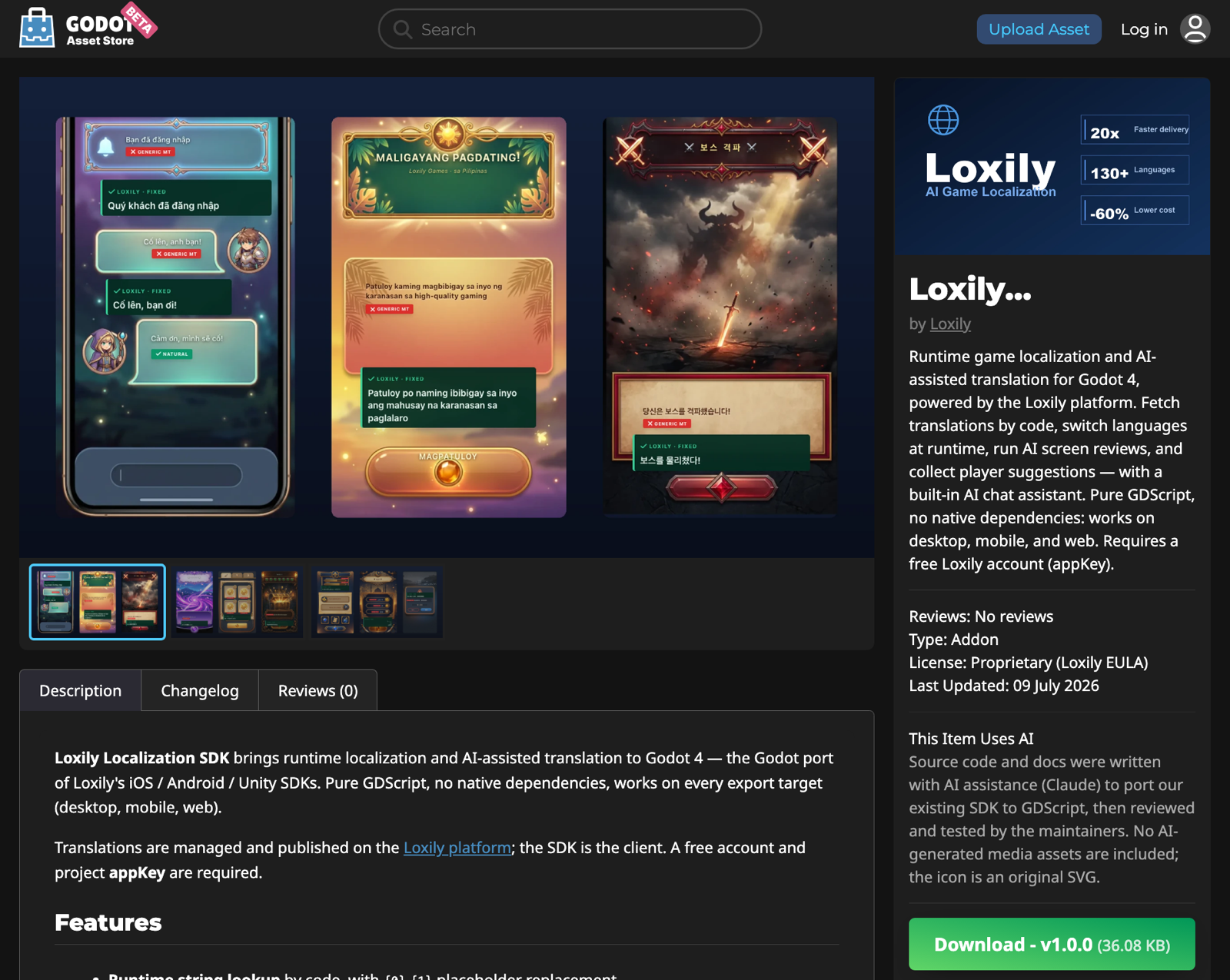
In the editor's AssetLib tab, search Loxily Localize, open it, then Download → Install. You can also open the store page in your browser to see the details or grab the zip directly:
Option B — Manual copy
Copy the entire addons/loxily_localize/ folder into your project's addons/ directory.
2. Enable the plugin
Open Project → Project Settings → Plugins and enable Loxily Localize.
This registers a LoxilyLocalize autoload singleton — globally available, no manual instantiation needed.
3. Use it in GDScript
func _ready() -> void:
    # 1) Ready callback (main thread) — fires when the language pack is loaded
    LoxilyLocalize.translation_prepared.connect(func(success):
        if success:
            print(LoxilyLocalize.get_string("100000001", "default")))

    # 2) Initialize (is_internationalizing=true uses the international endpoint)
    LoxilyLocalize.init("YOUR_APP_KEY", "en", true)
About the version number (important)
The SDK uses app_version to select translations. It auto-reads your project version (Project Settings → Application → Config → Version, i.e. application/config/version) and can be overridden before init:
LoxilyLocalize.app_version = "1.2.3"The game's real version must fall inside a published version range on the platform, otherwise no translations are returned (the backend matches by range).
Main API
# ── Init / ready signal ──
LoxilyLocalize.init(app_key: String, language: String, is_internationalizing := true, is_build_debug := false)
signal translation_prepared(success: bool)
LoxilyLocalize.is_prepared() -> bool
LoxilyLocalize.get_language() -> String

# ── Lookup (args fills {0}, {1}, … placeholders) ──
LoxilyLocalize.get_string(code: String, default_str := "", args := []) -> String
LoxilyLocalize.get_page_string(page_id: String, code: String, default_str := "", args := []) -> String

# ── Switch language (wait for translation_prepared before reading) ──
LoxilyLocalize.update_language(language: String)

# ── User info (community suggestions need user_id) ──
LoxilyLocalize.update_user_info({ "user_id": "uid", "user_tags": "vip1" })

# ── AI chat assistant / floating bubble / review page (built-in UI) ──
LoxilyLocalize.show_agent_bubble()          # floating button → Chat / Review menu
LoxilyLocalize.hide_agent_bubble()
LoxilyLocalize.open_agent_chat()            # streaming AI chat page
LoxilyLocalize.open_review_panel()          # AI reviews the current screen, lists issues
LoxilyLocalize.evaluate_string("100100")    # rating + suggestion panel for one code
LoxilyLocalize.suggest_translation(PackedStringArray(["100100"]))

# ── Headless variants (render your own UI) ──
signal review_completed(success: bool, items: Array, summary: String)
LoxilyLocalize.review_current_screen(page_id := "", image := null)   # auto-captures the frame
LoxilyLocalize.submit_suggestions(
    [{ "string_id": "100000001", "rating": 5, "suggested_translation": "my suggestion" }],
    func(success, rating_count, suggestion_count, err): pass)

# ── Error / crash reporting ──
LoxilyLocalize.report_error(message: String, stacktrace := "")
LoxilyLocalize.report_crash(exception_class: String, message: String, stacktrace := "")

LoxilyLocalize.set_log_enable(enable: bool)   # verbose logging
AI assistant UI
The built-in chat page, review-results page, suggestion panel, and floating bubble are all responsive native Godot Control overlays: near-fullscreen on phones, centered with a capped width on desktop, re-laying out live as the window resizes. They sit on a high-layer CanvasLayer inside the SDK, always above the game.
open_agent_chat()— real SSE streaming chat, token-by-token, multi-turn context.open_review_panel()— runs an AI review of the current screen, severity-colored cards, one-tap "Discuss with AI" into the chat page.evaluate_string()/suggest_translation()— player rating + translation suggestions.show_agent_bubble()— draggable floating assistant button that opens chat / review.
Telemetry (automatic)
Handled automatically after init, with no integration work:
- Daily active device (DAU): reported once per UTC day (stable device id persisted in
user://). - String exposure sampling: counts
get_stringhits at the platform-configured rate, flushed on background / next init. - Silent screenshot sampling: the platform targets specific codes; when one appears on screen, one screenshot per session is captured and uploaded.
Non-fatal errors and crashes can be reported from your own error handling (Godot has no global GDScript exception hook):
LoxilyLocalize.report_error("failed to load save", str(get_stack()))Caching & incremental updates
Language packs are cached under user://. When an incremental patch is available it is applied (the patch is applied to the local base and the result is MD5-verified); if verification fails it falls back to a full download — translations are never corrupted.
Licensing
Proprietary — © 2026 Loxily, all rights reserved. The SDK is licensed, not sold: you may integrate it into your own games/applications and ship it as part of them, but may not resell, redistribute standalone, or reverse engineer it (see LICENSE.md in the package for the full EULA). The SDK is a client for the Loxily localization service, which requires a Loxily account and appKey and is governed by its own terms.
FAQ
Q: Do I need to update the plugin on every game release? No. Integrate once; the version number follows your own release process — the SDK reads application/config/version automatically.
Q: Does it work on web exports? Yes. Pure GDScript with HTTPRequest/HTTPClient, no threads or native libraries, identical across all export targets.
Q: Why does AI chat use the low-level HTTPClient? Godot's HTTPRequest buffers the whole response and can't stream; the chat page types token-by-token, so it parses SSE manually via HTTPClient.